 ClipSplit
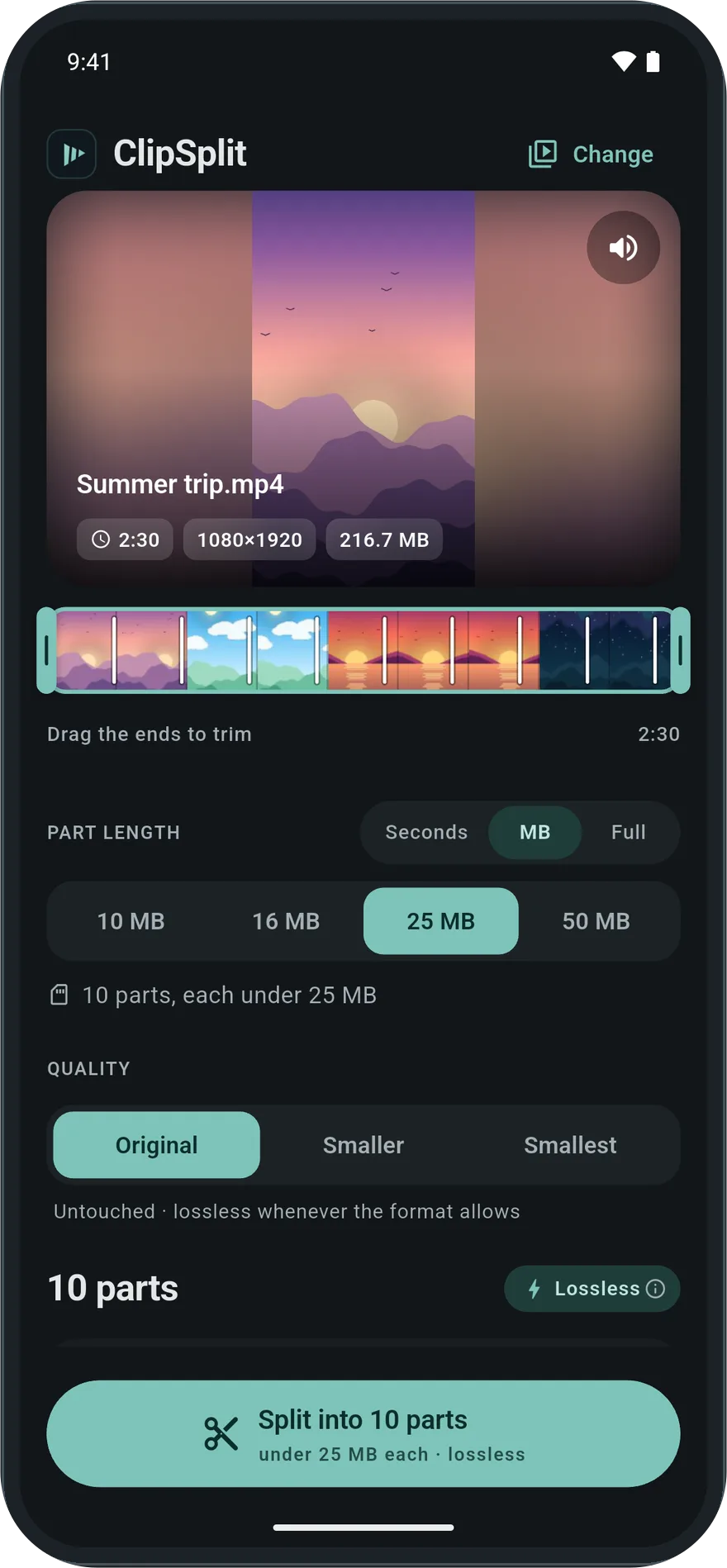
When the limit is in megabytes
A ten-minute phone video can easily be several hundred megabytes. Splitting by time does not help much when the limit is a file size, because how big a minute of video is depends on its resolution and how busy the picture is.
Choose MB in ClipSplit and pick 10, 16, 25 or 50 MB. ClipSplit works out where to cut so that each part stays under that size, and shows how many parts to expect before you start.
Split or shrink, from the same screen
If you would rather have fewer parts, pick Smaller (720p) or Smallest (480p) as well. Each part is then compressed, so more minutes fit under the same size. If you want a single file rather than parts, choose Full to make the whole video smaller instead.
How to split a video into parts under a size limit
- Choose the video
Open ClipSplit and pick the video you need to send.
- Switch to MB
Above the length options, choose MB instead of Seconds.
- Pick the size
Tap 10, 16, 25 or 50 MB. The screen shows how many parts you will get.
- Split and send
Tap Split, then Share all to send the parts in order.
Good to know
- Pick a size a little below the real limit if the app you send to counts megabytes differently.
- Combine MB with Smaller (720p) to send a long video in fewer parts.
- On Original, each part keeps the full quality; only the number of parts depends on the size you pick.